
TrackPacks
Your first Done-Did starts here.
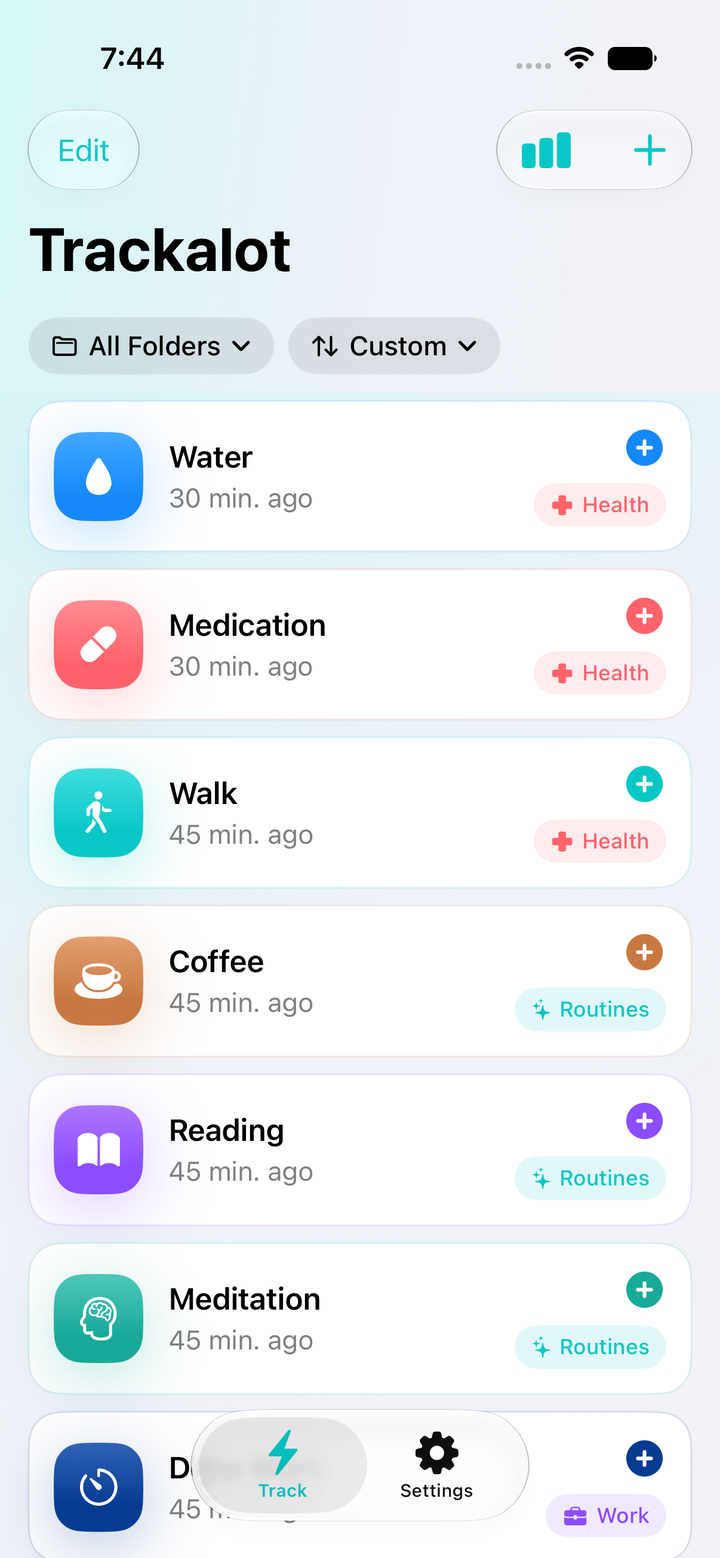
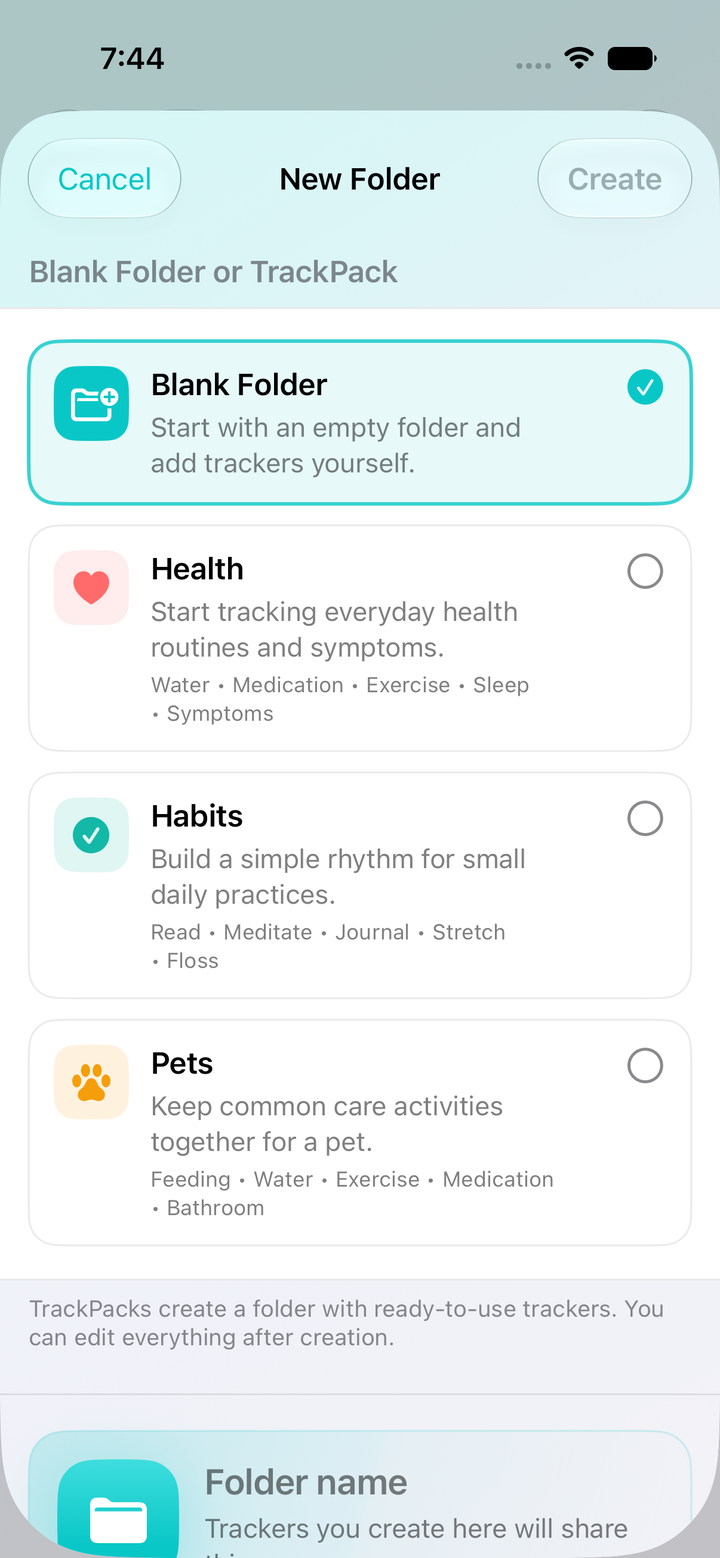
Start with a Health, Habits, or Pets TrackPack, or create your own trackers for the things you’re always trying to remember. Rename them. Pick their colors. Make room for your actual life.
Introducing Done-Did tracking
A to-do list tells you what’s next. But life has another question: “When did we last do that?” The snack you handed over. The filter you replaced. The dog you already fed.
We call it Done-Did tracking. A timestamped history of the things you’ve done, built one tap at a time. So the next time somebody asks, your answer is right there.
No account. No ads. No user tracking. Your data stays under your control.
The end of “I think so”
Fed the kids. Walked the dog. Changed the sheets. You do a hundred little things that disappear into the day. Until someone needs to know when. Tap as you do them, and Trackalot keeps a history you can actually look up.
The afternoon snack check
“Did the kids get their snack?”
“Yeah, hon. They got their snack at 1:43 on the nose.”
One little tap. One less thing to keep in your head.
Put Done-Did to work
Pick something you want to remember. Make it a tracker. Tap when you do it. That’s the whole idea. These tools help you make it yours.
TrackPacks
Start with a Health, Habits, or Pets TrackPack, or create your own trackers for the things you’re always trying to remember. Rename them. Pick their colors. Make room for your actual life.
Independent sorting
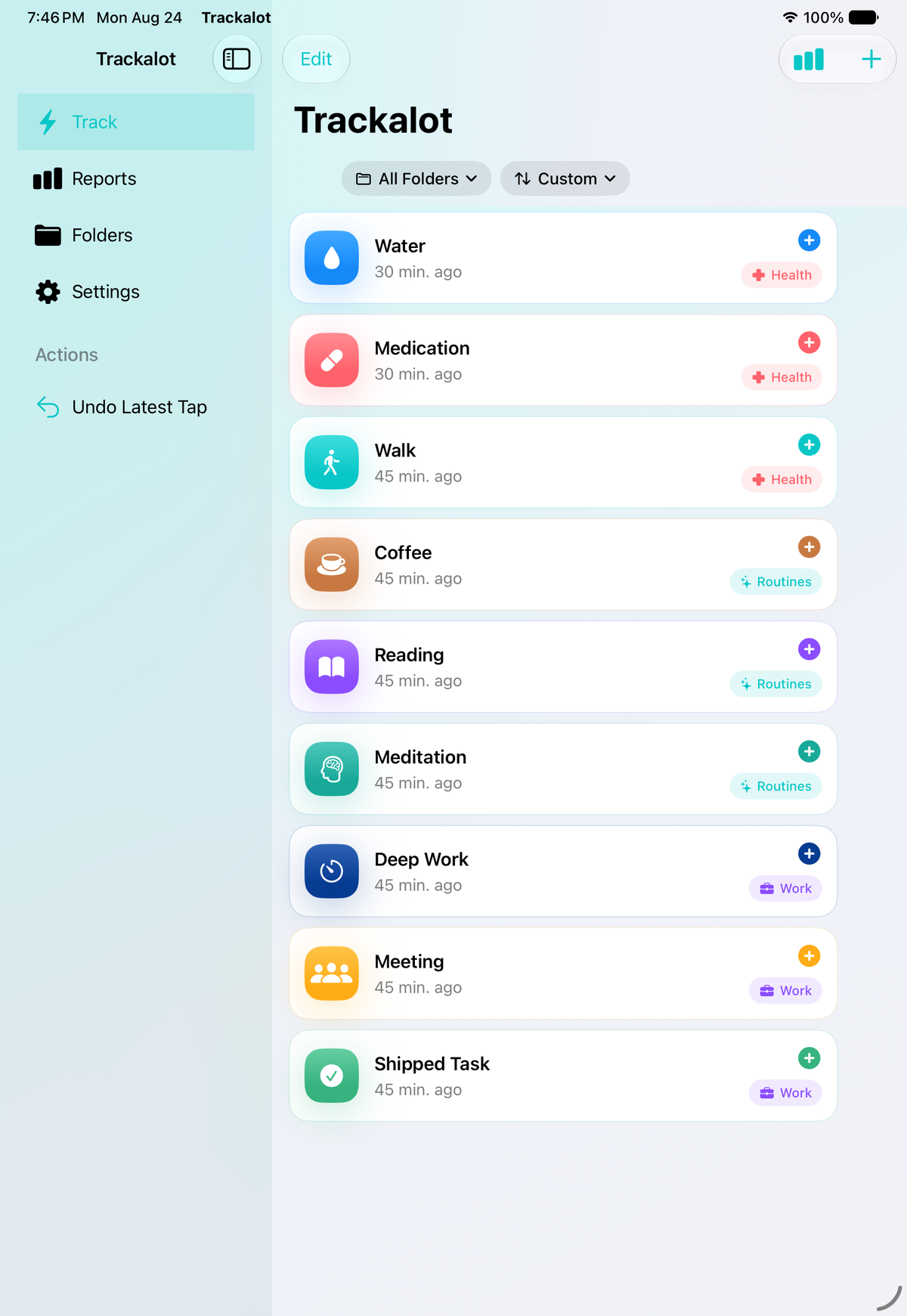
Keep pet care together. Give household jobs their own folder. Sort by name, recent activity, or your own order. Your Apple Watch gets its own arrangement, so the things you log on your wrist stay easy to reach.
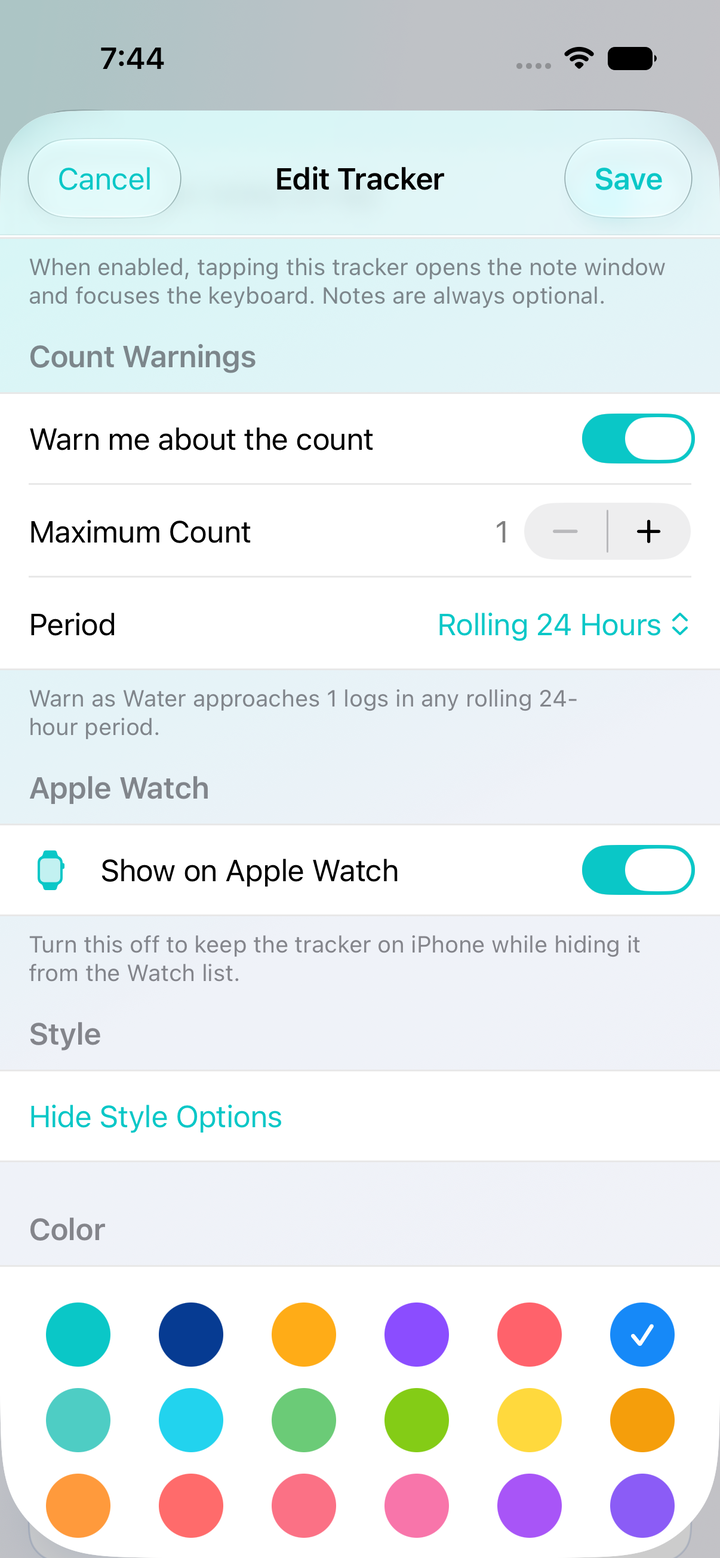
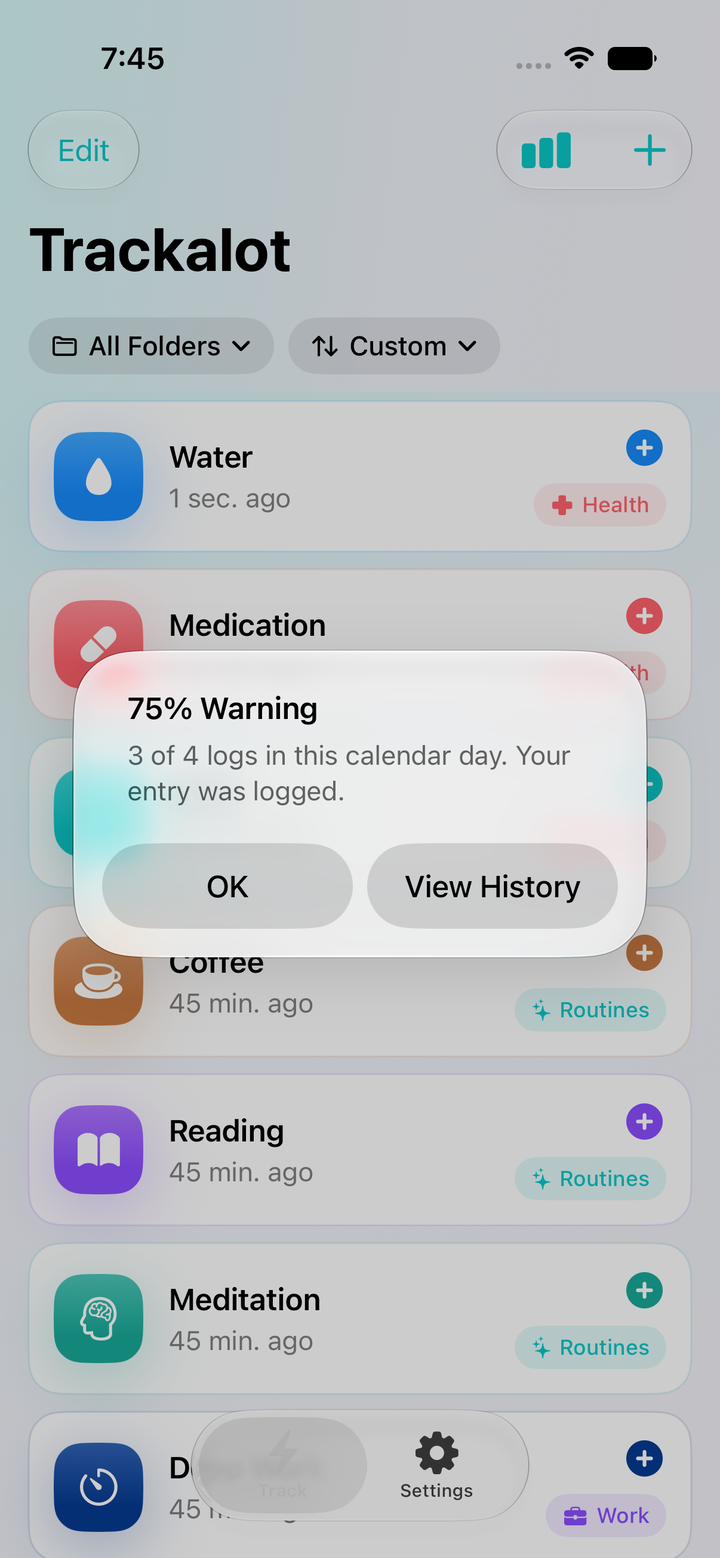
Count Warnings
Sometimes you want to know when. Sometimes you want to know how many. Set a Count Warning for the things you’re keeping an eye on. Get a heads-up as you approach your chosen limit, while every accepted tap still gets logged.
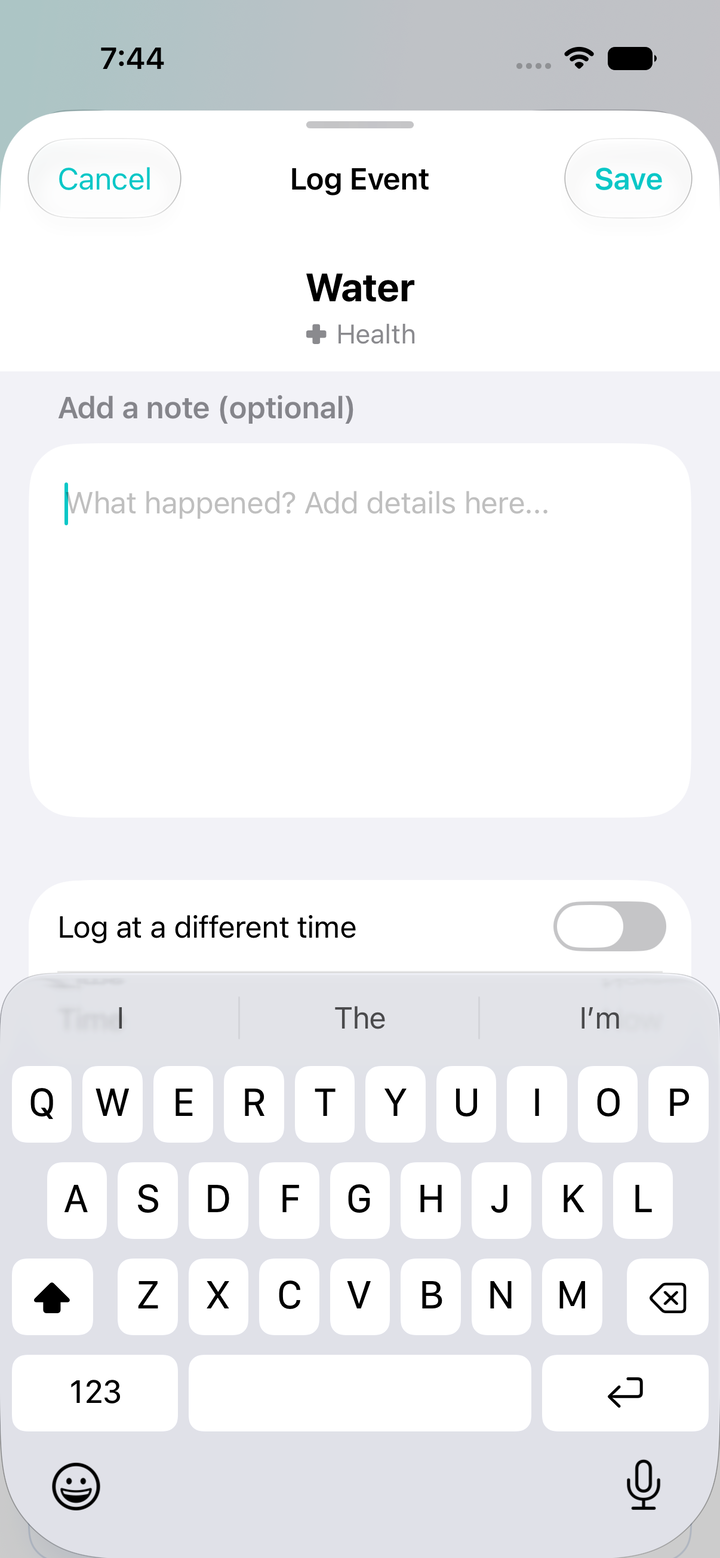
Optional notes, ready sooner
“Apples and peanut butter.” “Took the long route.” Add a note when the details matter. You can have a tracker open straight to its note field, and you can always save without writing a word.
Made for iPadAn adaptive sidebar keeps Track, Reports, Folders, and Settings within reach on larger screens.
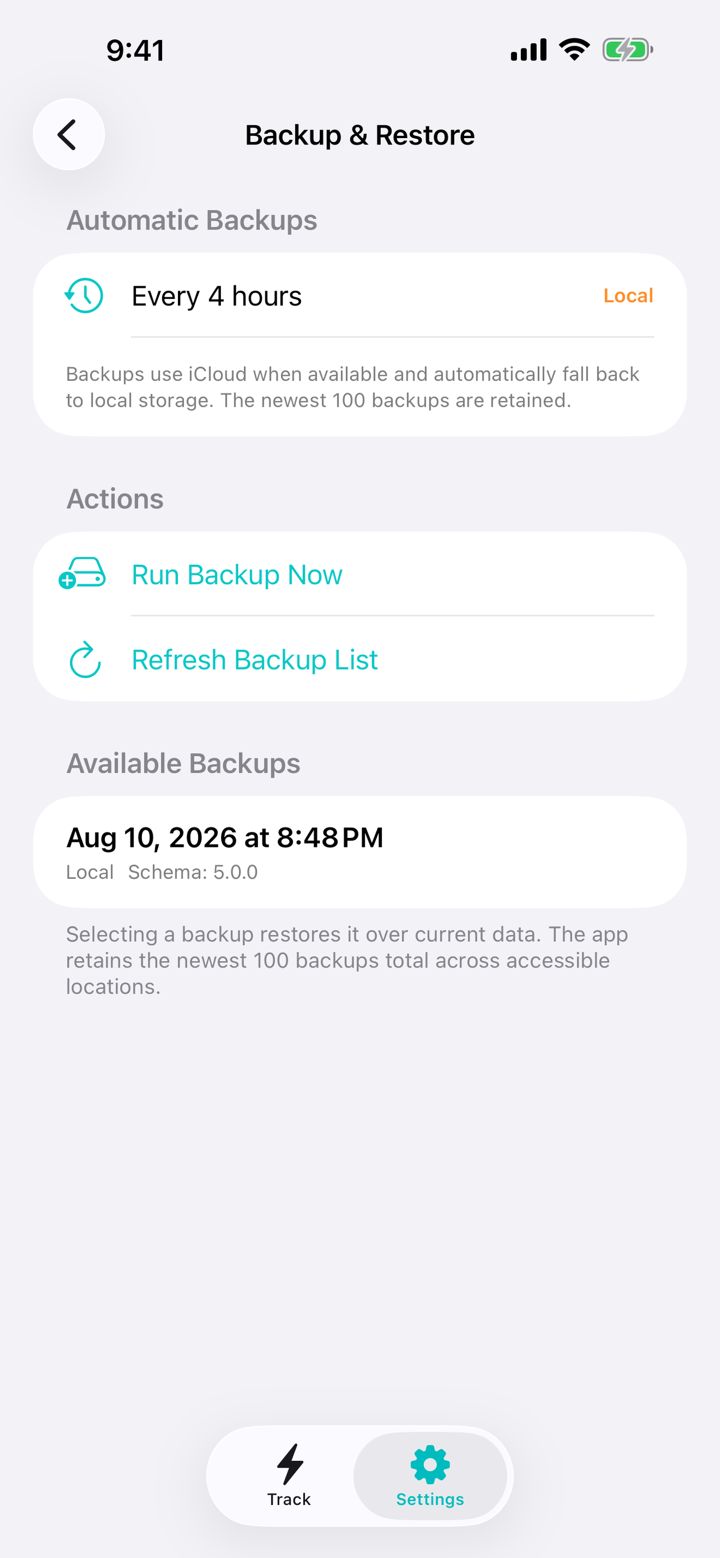
Keep your historyAutomatic backups and restore options help you hold on to the moments you’ve logged.
Watch orderChoose a separate Apple Watch tracker order from iPhone Settings and hide trackers you do not need on your wrist.
Your Done-Did history
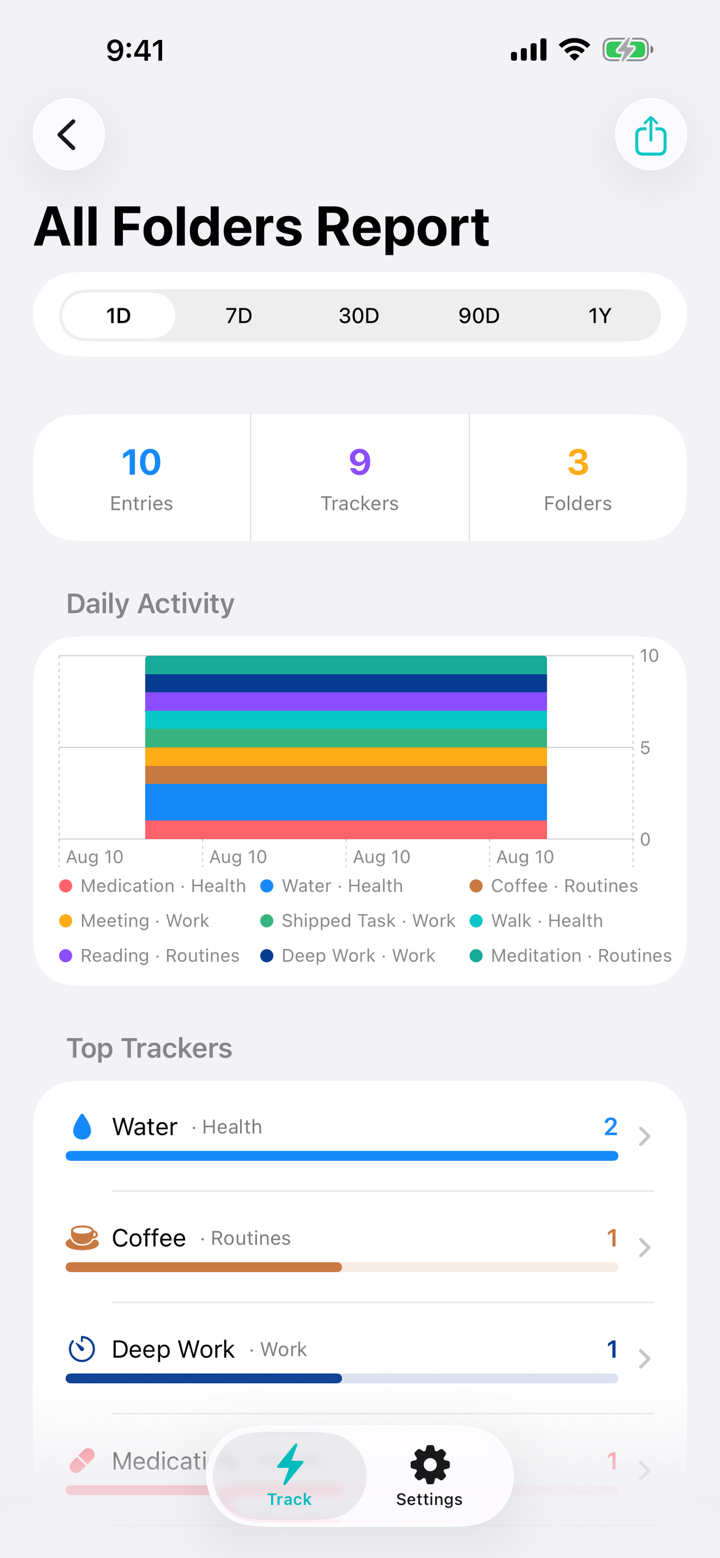
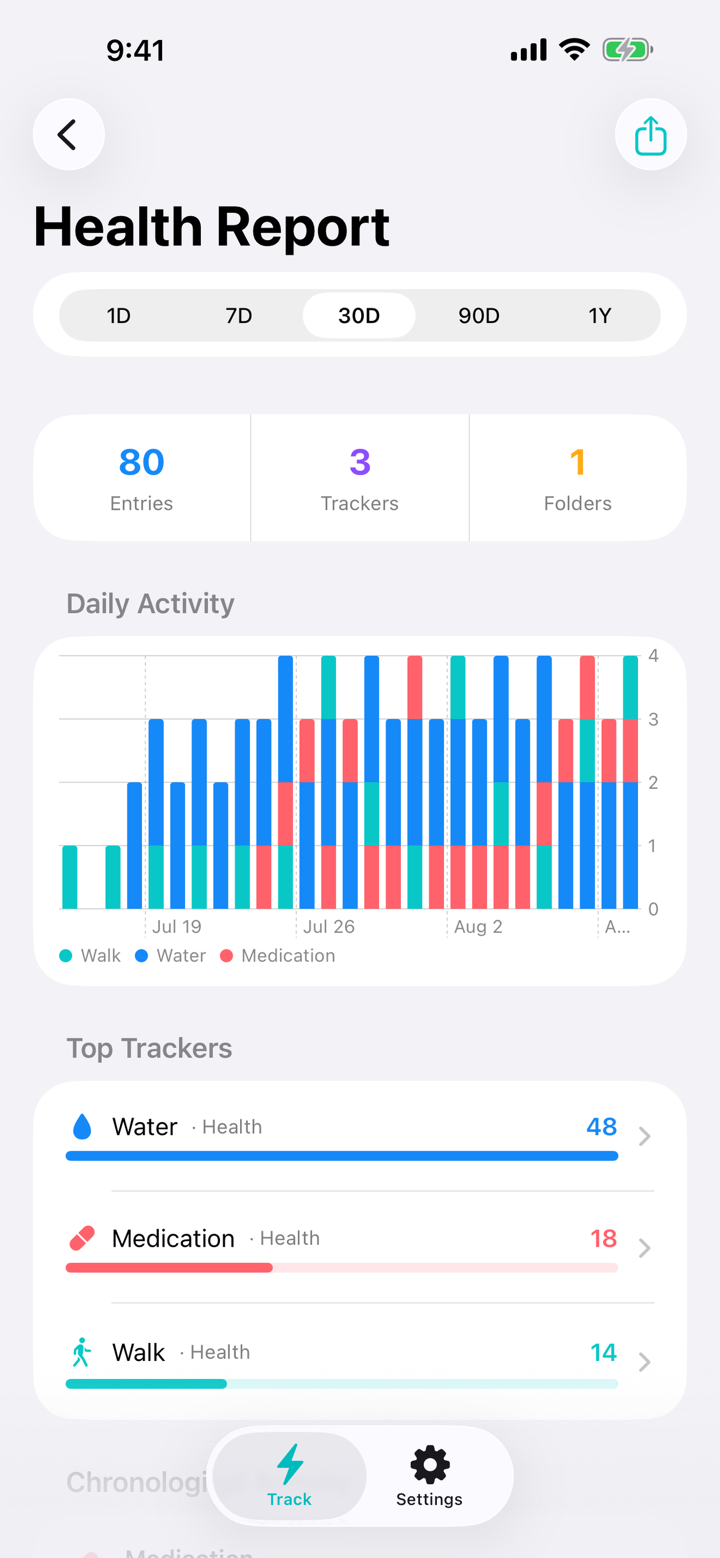
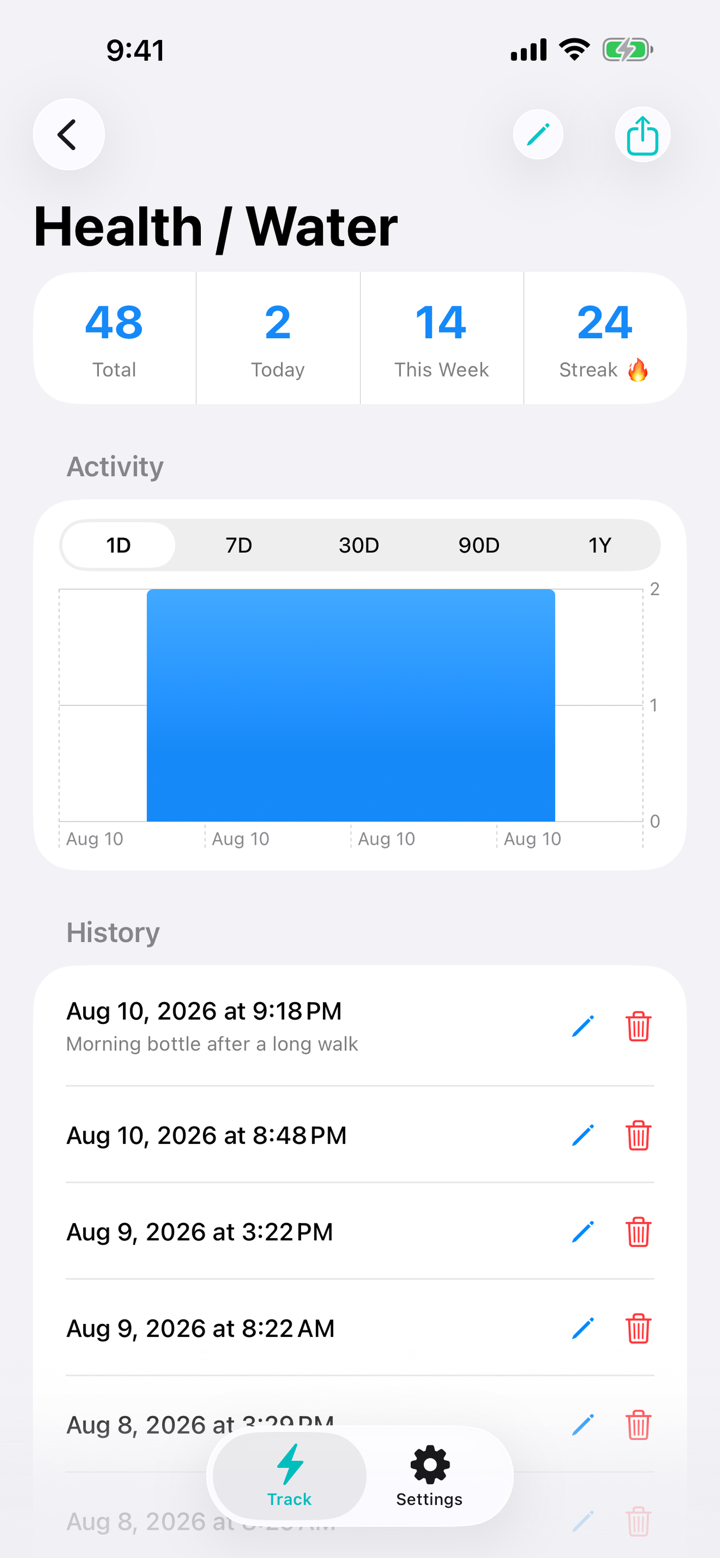
Look back at snack time, the last dog walk, or when you watered the plants. Review one tracker, a whole folder, or everything together, with timestamps and optional notes to help you remember the details.


Track where life happens
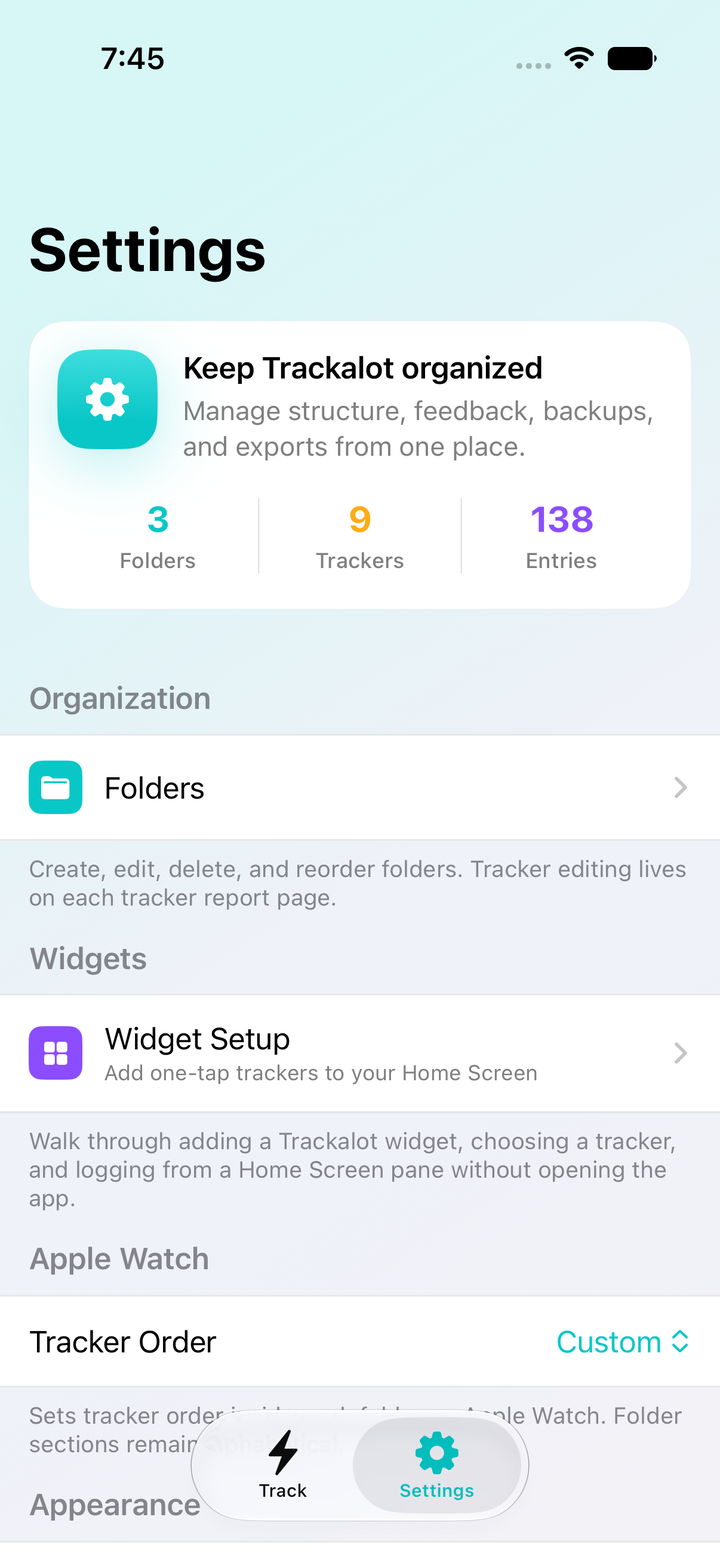
The dog gets fed in the kitchen. The plants get watered outside. Log the moment from iPhone, iPad, a Home Screen widget, or Apple Watch. Siri and Shortcuts give you more ways to capture it.
iPhone
Open your list and tap what you just did. Add a note if you want to remember more. Need to look back? Your history is a swipe away.
Home Screen widget
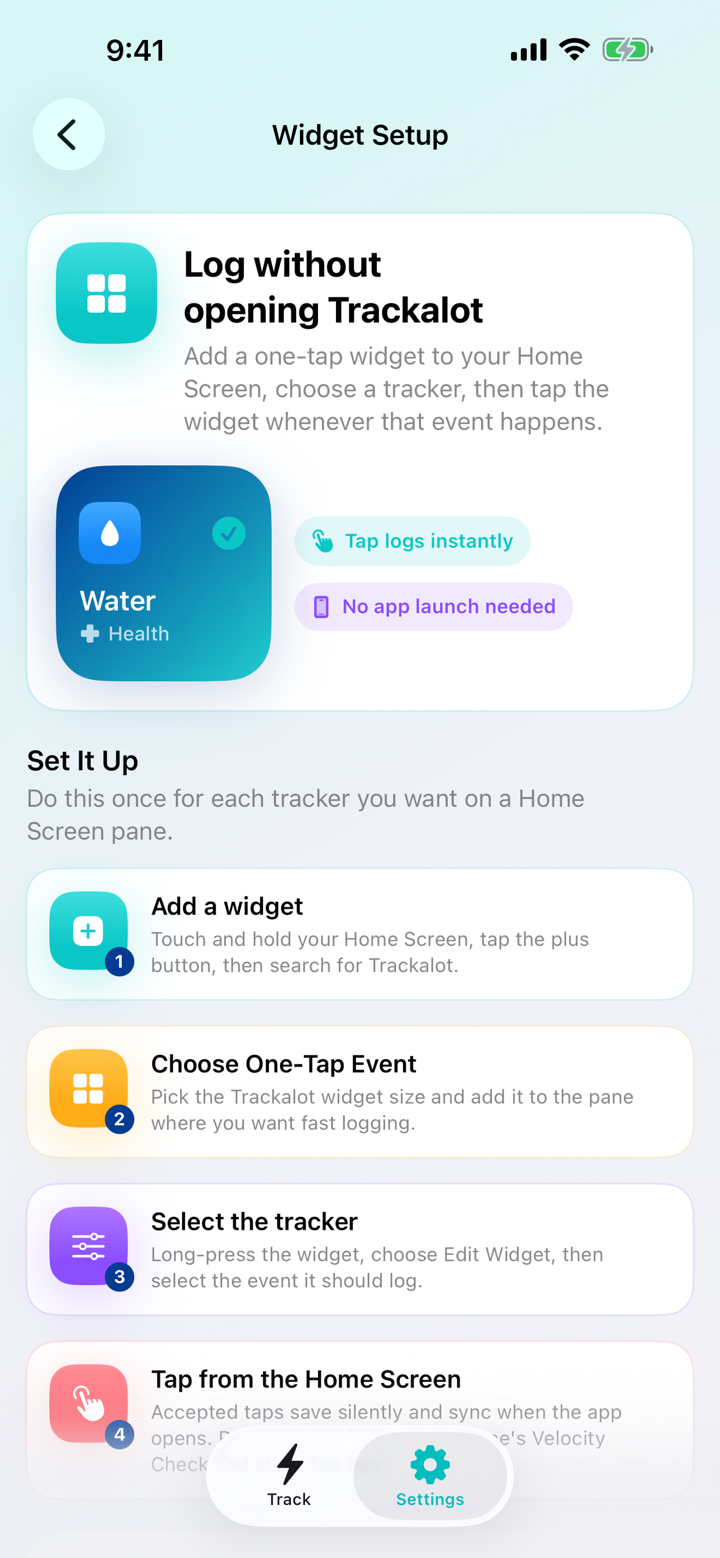
Put a frequently used tracker on your Home Screen. Fed the dog? Tap the widget and get on with your day.
iPad
Give your Done-Did history a bigger screen. Browse folders, review reports, and find the details with room to spread out.
Apple Watch, Siri, and Shortcuts
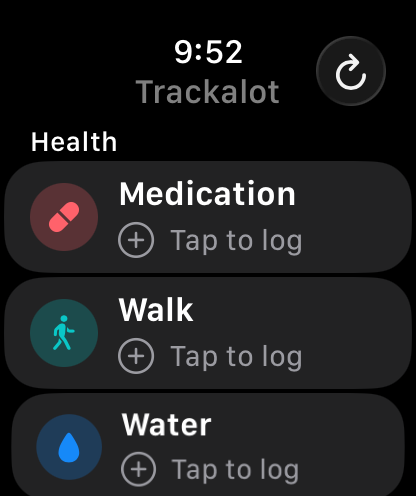
Just finished the walk? Log it from your wrist. Keep your favorite trackers handy on Apple Watch, or use Siri and Shortcuts to log a tracker through your own automations.
Apple Watch setup
Your history comes first
A Done-Did history gets more useful the longer you keep it. Trackalot includes automatic backups, manual backups, and restore options to help protect the moments you’ve logged.
What’s on your Done-Did list?
Kids’ snacks. Dog walks. Clean litter boxes. Watered plants. Fresh sheets. Finished workouts. If you’ve ever asked “Did I do that?” or “When was the last time?”, make it a tracker. A tap now gives you an answer later.
Velocity CheckBlock accidental rapid repeats with an adjustable 1–60 second interval and independent cooldowns per tracker.
Optional contextAdd notes and custom timestamps, or have a tracker open directly to its optional note field.
Direct gesturesSwipe right to edit, swipe left for reports, and shake iPhone to review and undo the newest log.
Portable dataExport scoped CSV and PDF reports, your complete CSV or JSON archive, or individual tracker entries to Calendar.
Your look and feedbackChoose System, Light, or Dark appearance plus optional haptics, sounds, and increment tones.
Private by designNo Trackalot account, advertising, subscription, or third-party analytics.
A look inside Trackalot
Your everyday taps. Your timestamps. Your history. Here’s what that looks like in the app.


Private by design
What you did today is your business. Trackalot has no account, no ads, and no third-party analytics. Your history stays in storage controlled through your Apple devices and iCloud. The developer never receives your tracking data.
Read the Privacy Policy