
New Version 1.5

Trackalot for iPhone, iPad, and Apple Watch

Start faster.
Sort smarter.

Trackalot still turns one tap into a useful, private history. Version 1.5 makes it easier to begin, easier to organize, and more helpful when you are building—or reducing—a habit.

Only $2.99! No Subscription or Recurring Fees!

No account. No ads. No user tracking. Your data stays under your control.

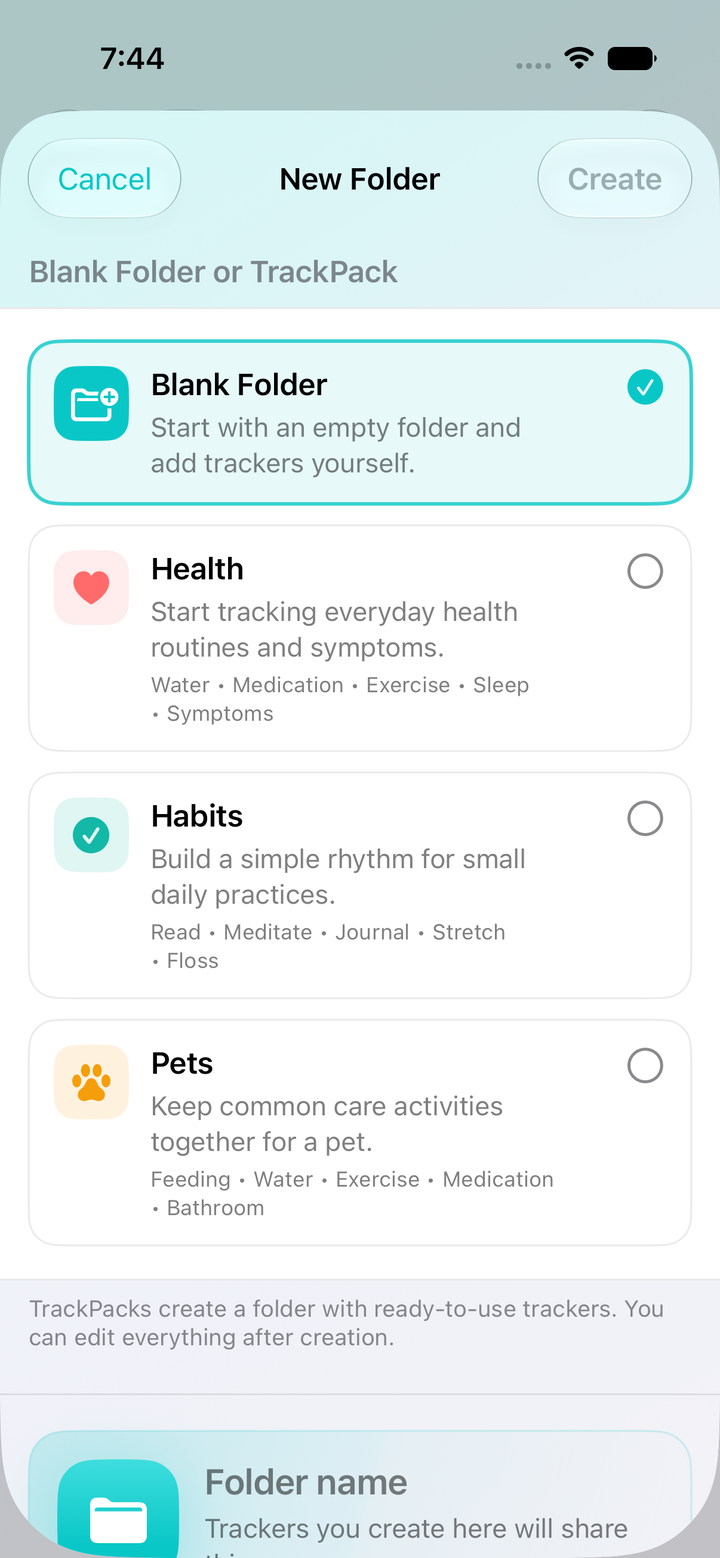
Health, Habits, and Pets TrackPacks in Trackalot 1.5
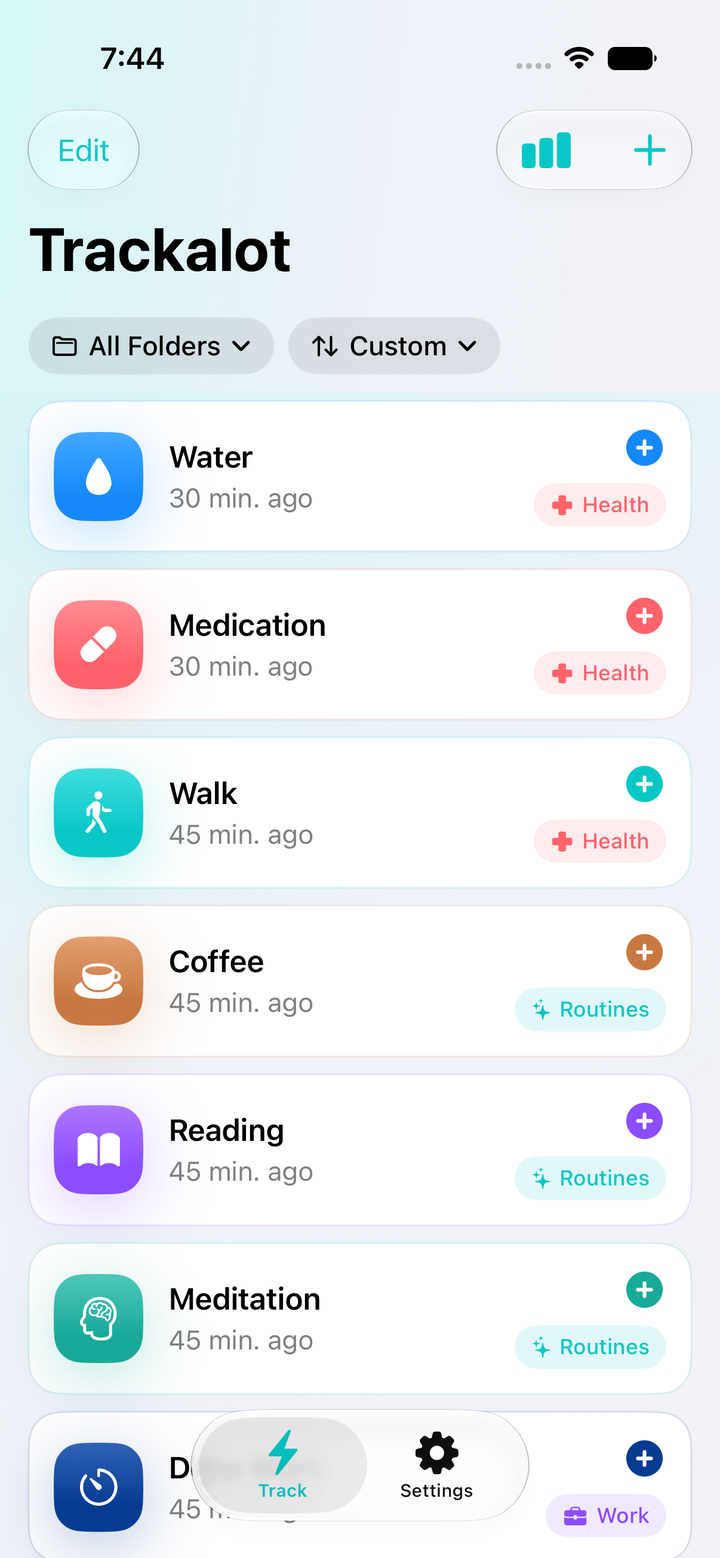
Trackalot 1.5 tracker list with folder and sort controls
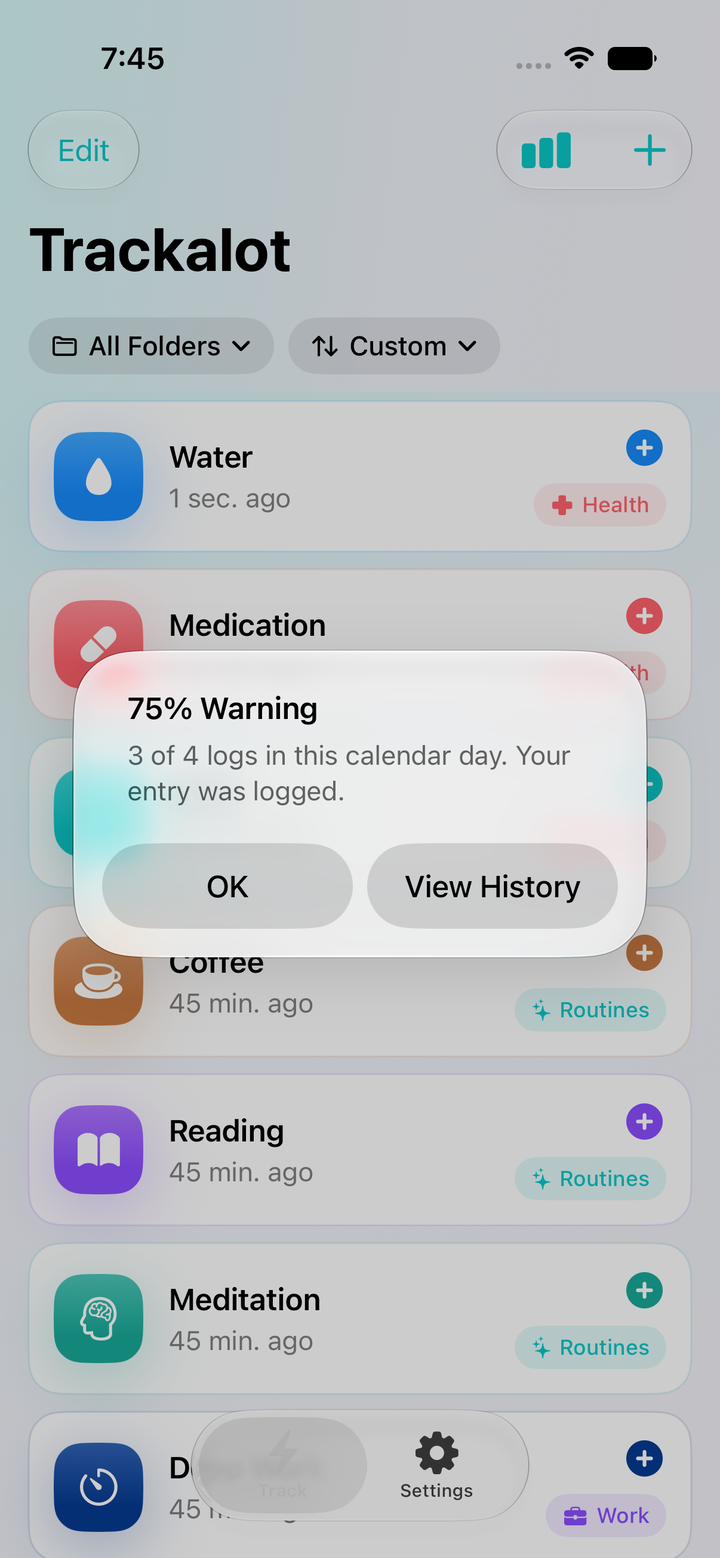
A non-blocking Count Warning after a successful log
One tapto log the moment
Your orderglobally, by folder, and on Watch
EverywhereiPhone, iPad, widget, and Watch

New in Trackalot 1.5

A better beginning—and a better view every time you return.

Version 1.5 adds thoughtful structure without slowing down the tap. Start from a useful template, arrange each list independently, and add optional guardrails where they help.

03

Count Warnings

Helpful limits. Never hard stops.

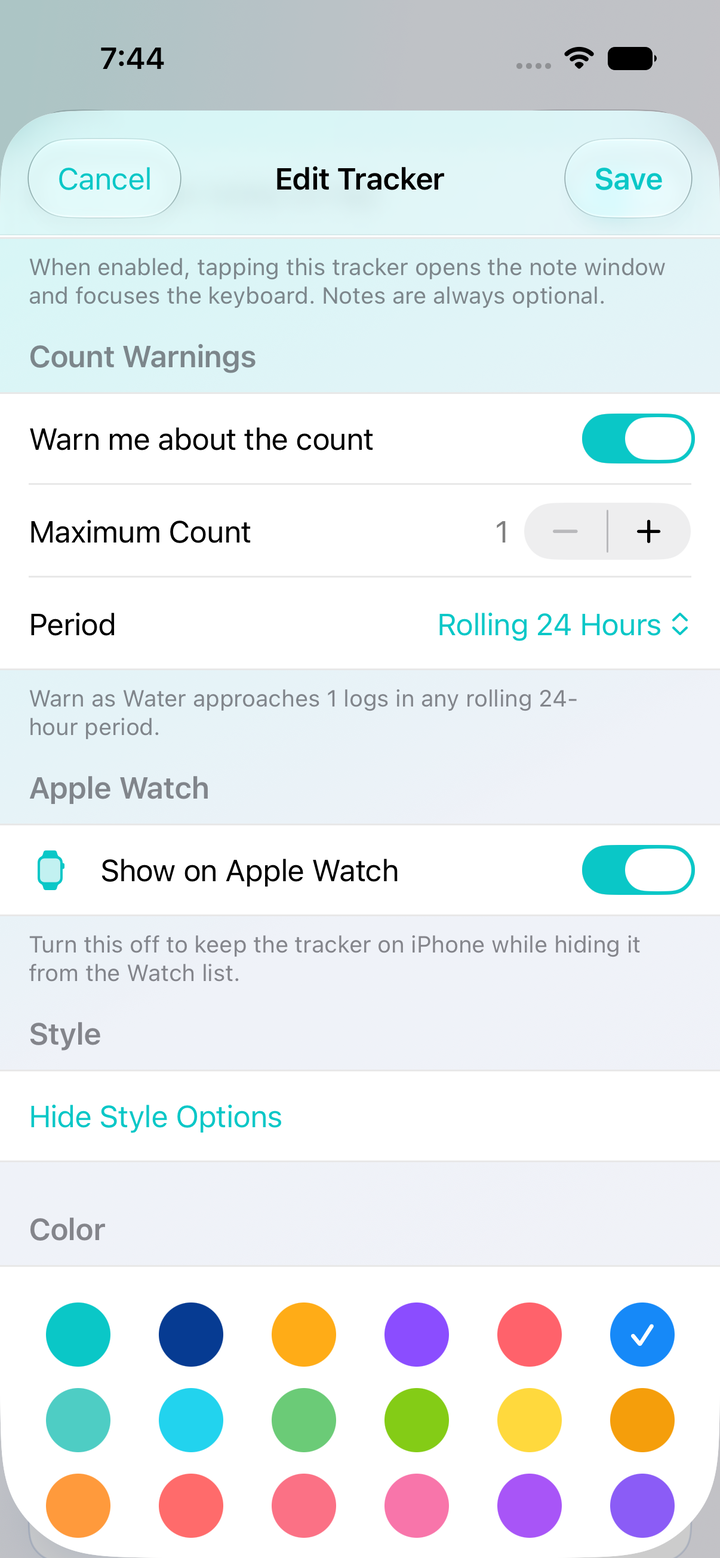
Set a per-tracker maximum for custom hours, a rolling 24 hours, or a calendar day, week, or month. Trackalot warns at 75%, 85%, 90%, 95%, the limit, and every tap beyond it—while still saving every accepted log.

04

Optional notes, ready sooner

Open to the note. Never require it.

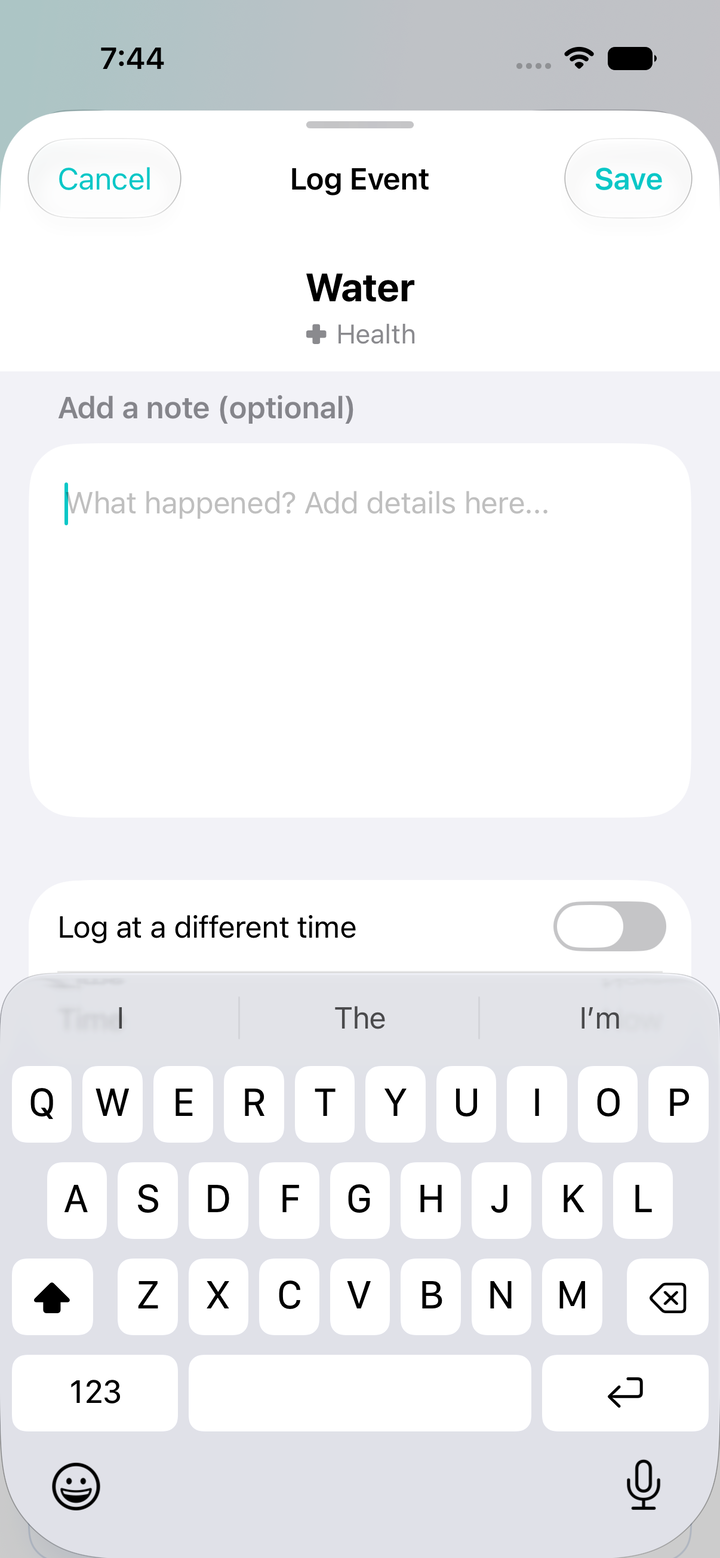
Turn on Always open notes on tap for trackers where you usually add context. The larger note-first panel opens with the keyboard focused, yet Save always remains available because notes are optional everywhere.

Made for iPadAn adaptive sidebar keeps Track, Reports, Folders, and Settings within reach on larger screens.

Safer upgradesA versioned data model and expanded restore path preserve compatible history from older app versions and backups.

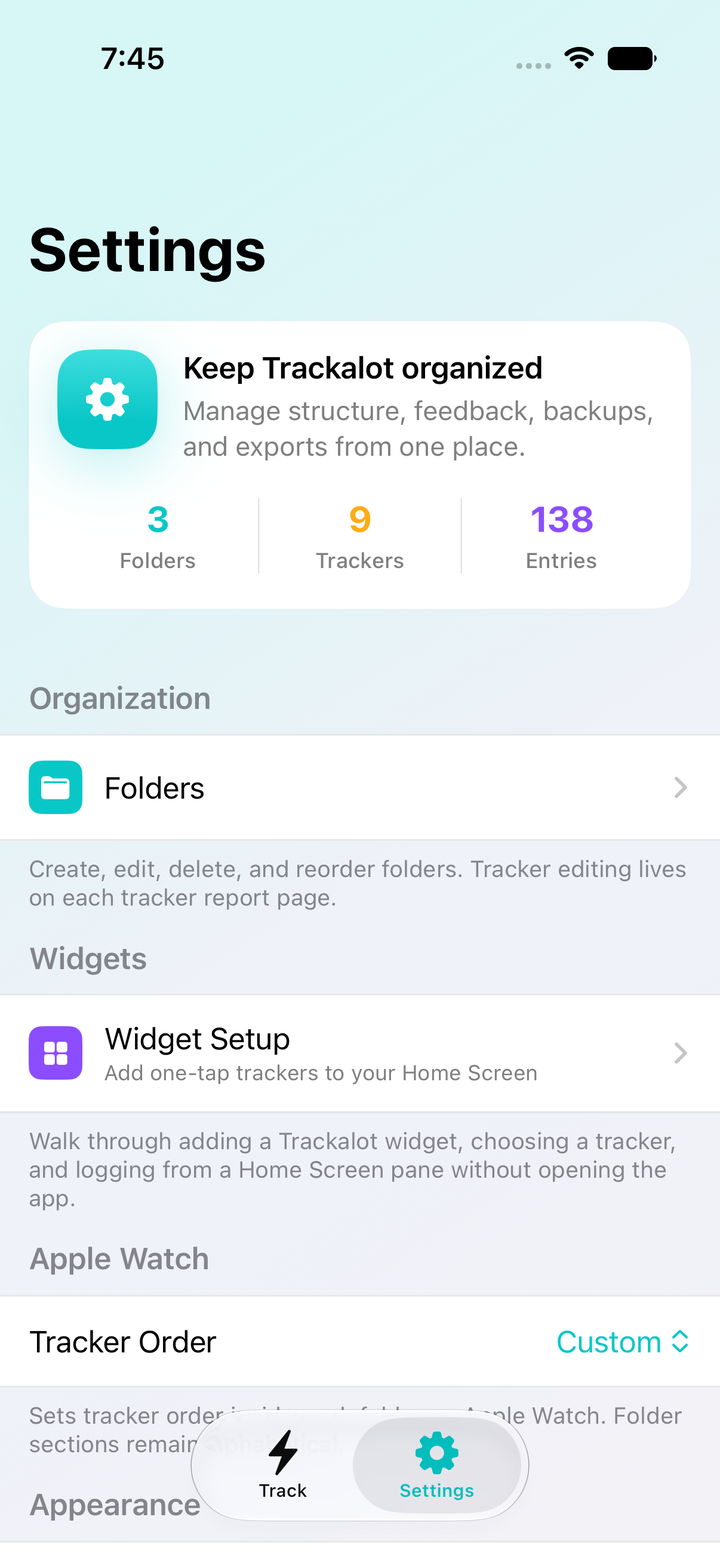
Watch orderChoose a separate Apple Watch tracker order from iPhone Settings and hide trackers you do not need on your wrist.

Reporting that follows your view

From one moment to the whole story.

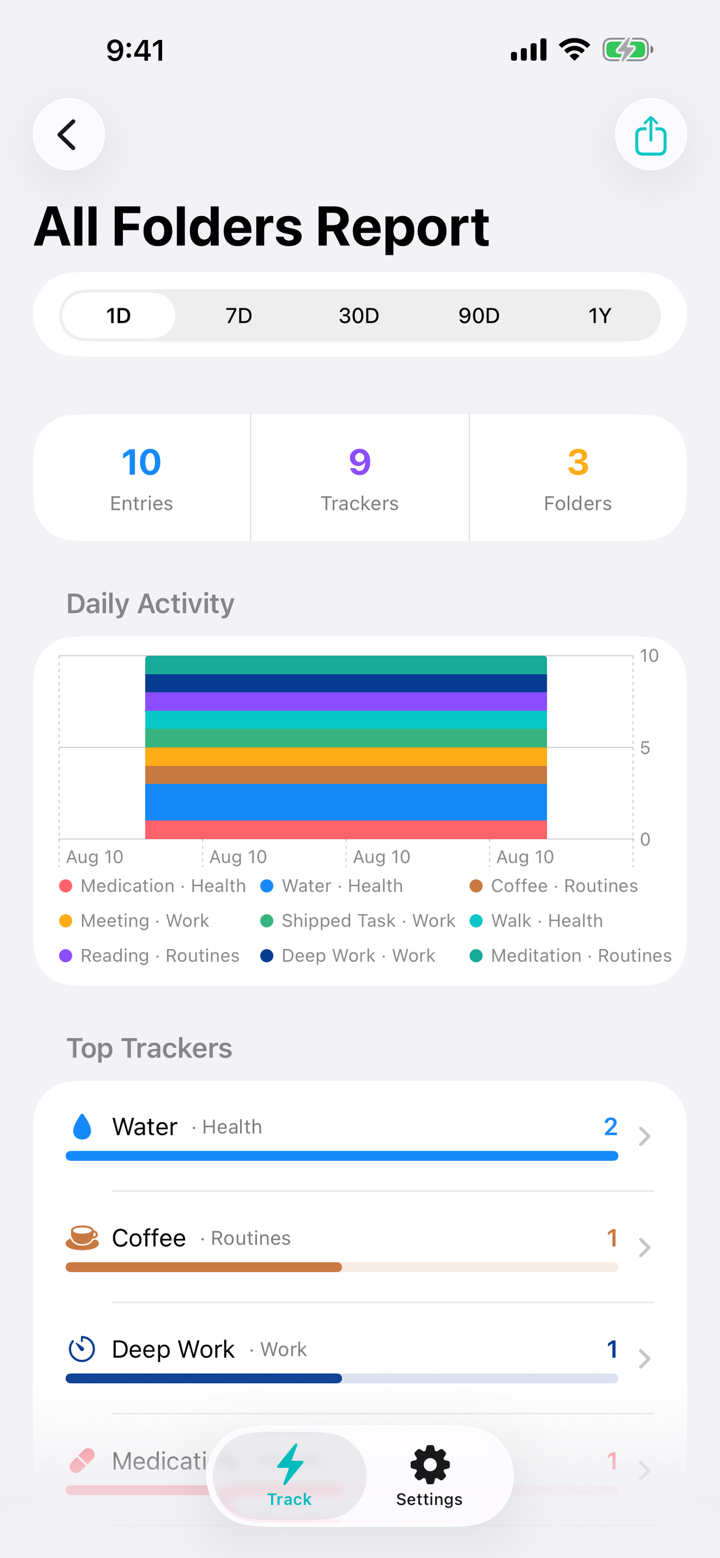
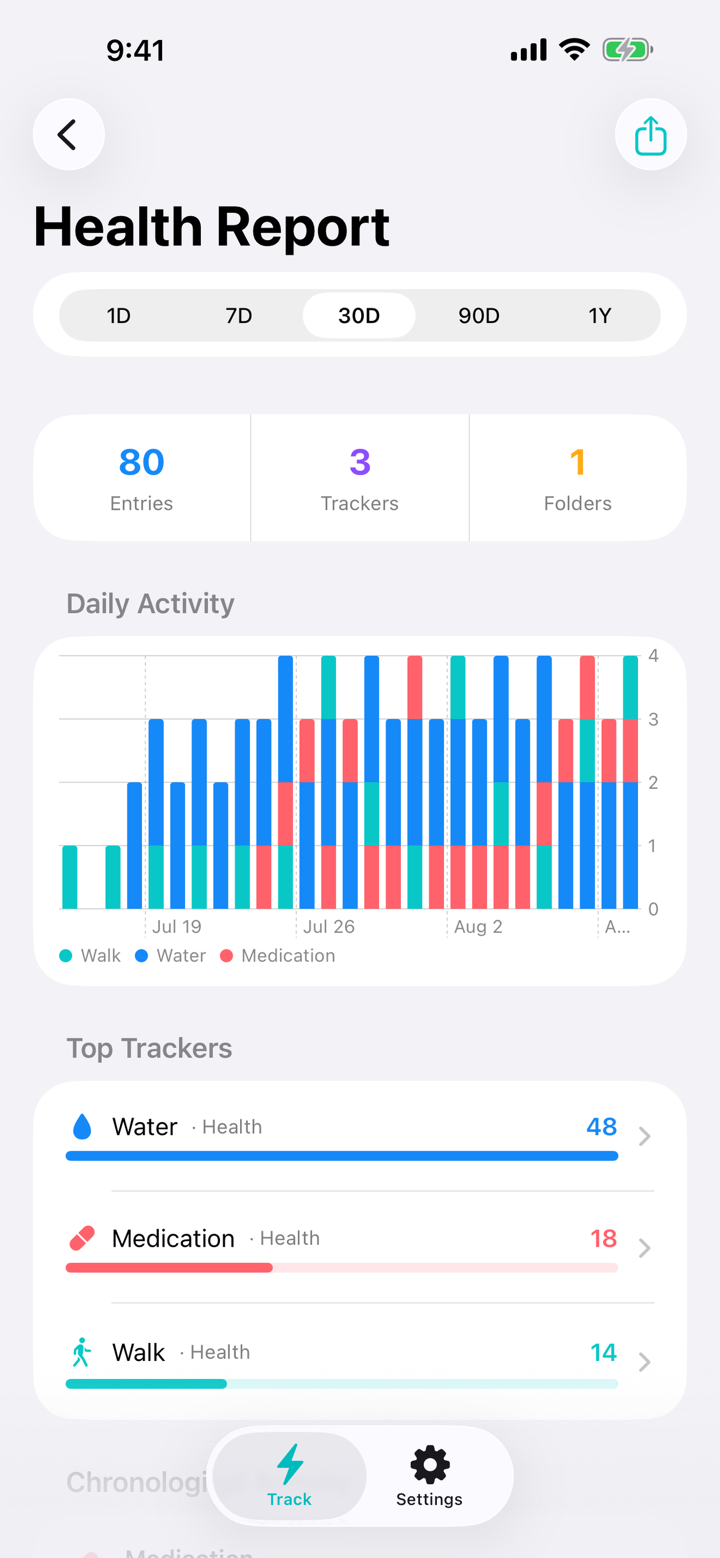
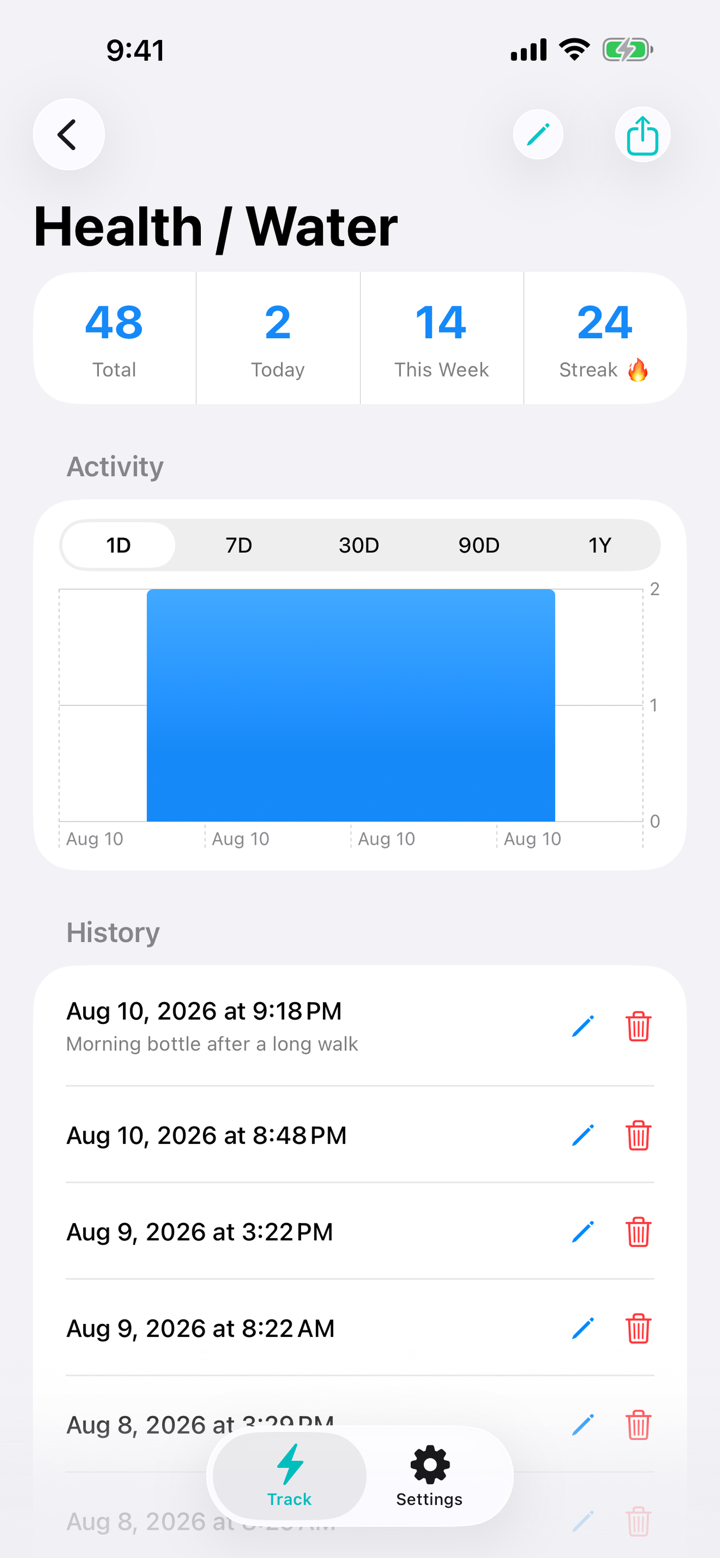
Review every tracker together, focus on one folder, or dig into a single tracker. Each report keeps the scope and rolling range you choose—from the previous 24 hours through one year.

  • All Folders gives you one chronological timeline across Trackalot.
  • Folder reports isolate one part of your life.
  • Individual reports reveal charts, totals, streaks, notes, and editable history.
  • CSV and print-ready PDF exports match the report on screen.
All Folders one-day report
All Folders
Health folder report
One folder
Water tracker one-day report
One tracker

Track where life happens

One history. Every useful screen.

Use the full app when you want context. Use a widget, Apple Watch, Siri, or Shortcuts when you only need the tap.

iPhone

Your fastest capture tool.

Tap to log, hold for an optional note or custom time, swipe right to edit, swipe left for reports, or shake to undo the newest entry.

Trackalot 1.5 tracker list on iPhone

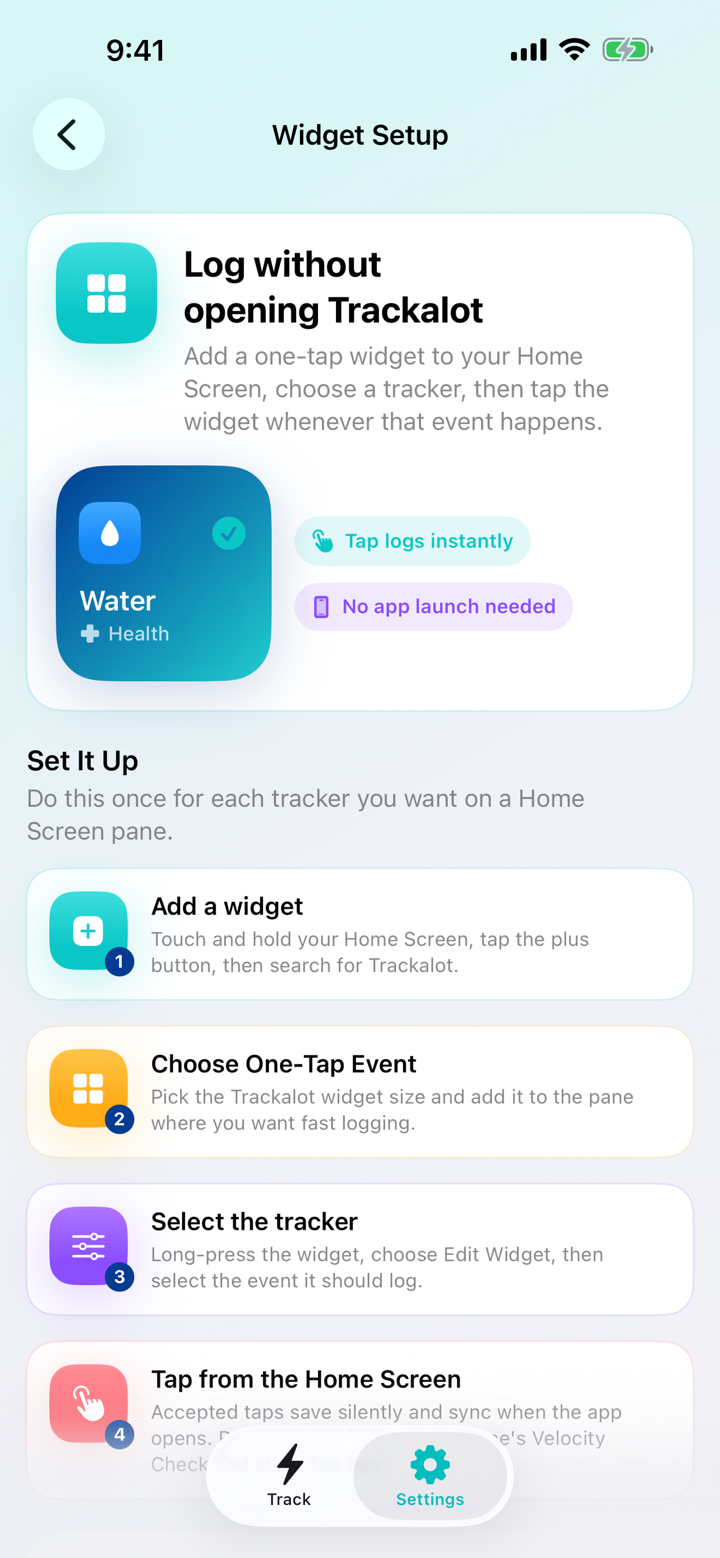
Home Screen widget

Log without opening Trackalot.

Choose a tracker by folder and name, tap it in place, and receive the same Velocity Check and Count Warning feedback.

Folder-aware Trackalot Home Screen widget setup

iPad

More room, not more work.

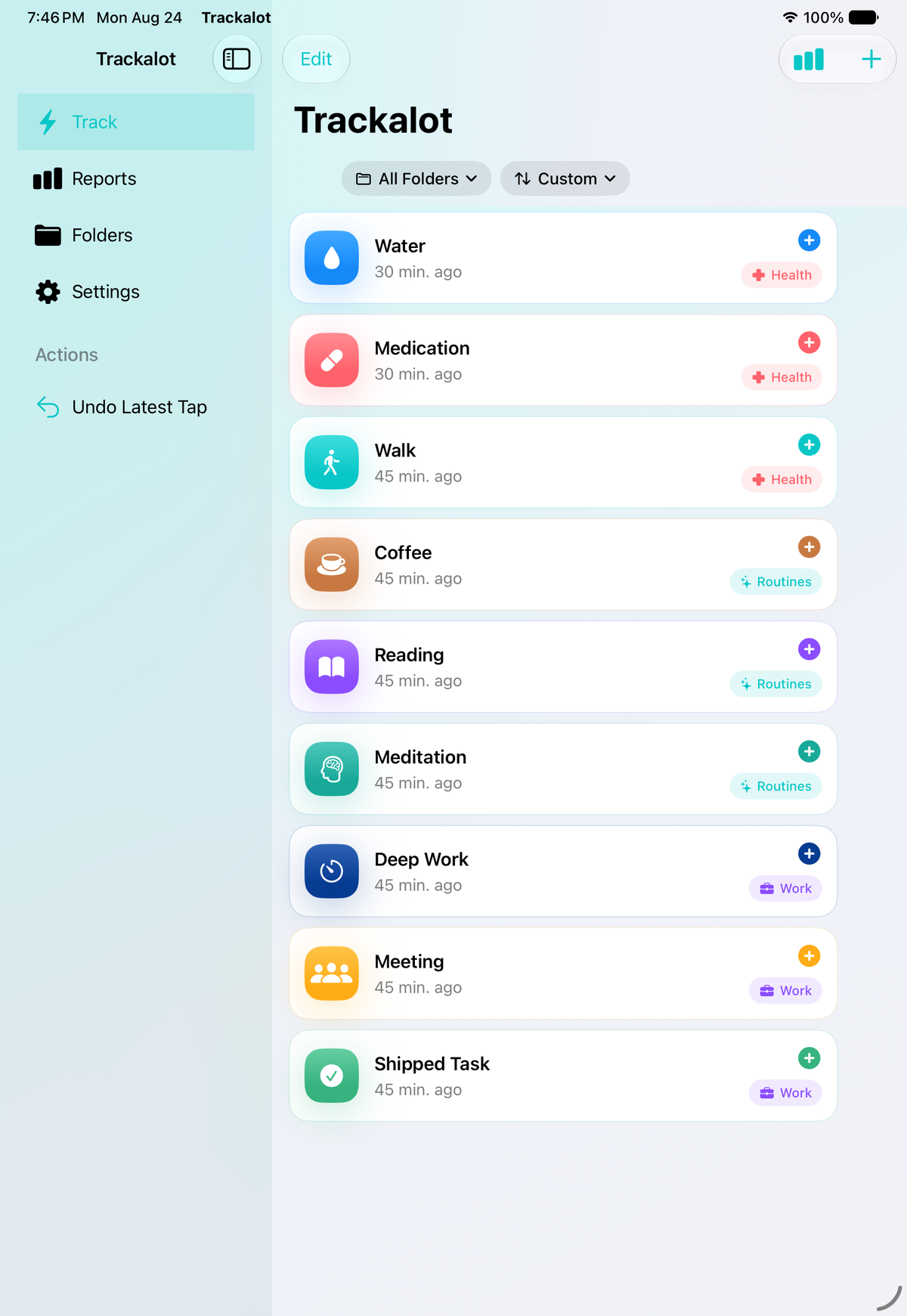
The universal app adapts to iPad with a persistent sidebar for Track, Reports, Folders, and Settings. Your same trackers, sort preferences, and reporting tools make use of the larger canvas.

Trackalot 1.5 adaptive sidebar and tracker view on iPad

Apple Watch, Siri, and Shortcuts

Log it while it’s happening.

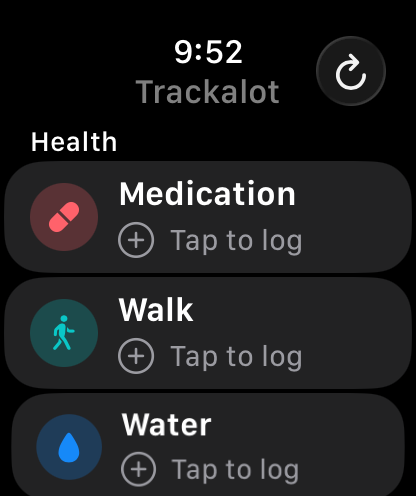
Browse Watch trackers grouped by folder, use a separate Watch order, and add the complication for quick access. Offline wrist taps retry when iPhone reconnects, while Siri and Shortcuts can log a chosen tracker from your own automations.

Apple Watch setup
Trackalot trackers grouped by folder on Apple Watch
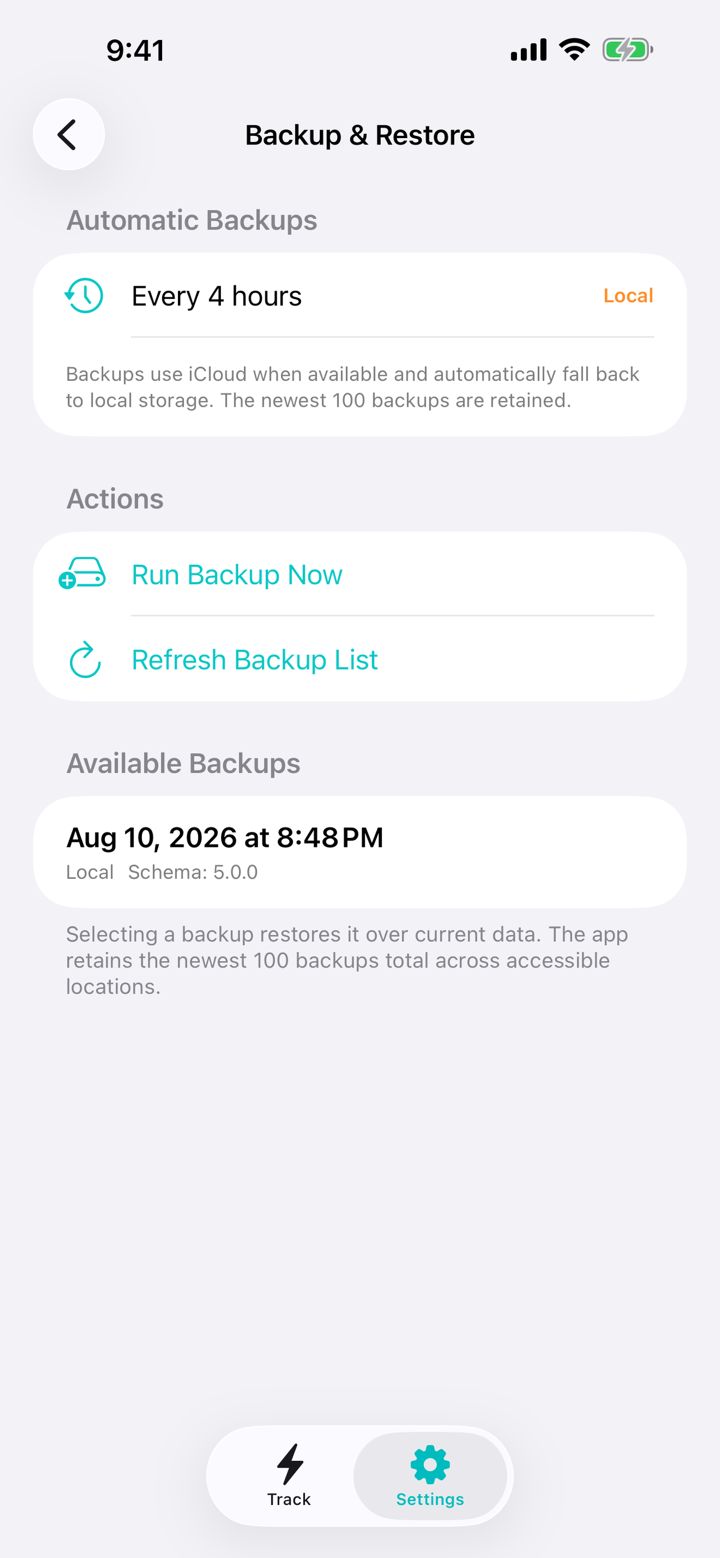
Trackalot automatic backup and restore history

Your history comes first

New structure. A careful upgrade path.

Version 1.5 expands Trackalot’s data model without treating existing history as disposable. Versioned upgrades preserve compatible trackers and entries, while older supported backups restore with safe defaults for new settings.

  • Automatic backups target every four hours.
  • iCloud is preferred, with local storage as a fallback.
  • The newest 100 backups are retained.
  • Manual backup, browsing, and restore remain available in Settings.

Everything that made Trackalot useful

Still one tap. Now much more yours.

Hydration. Medication. Symptoms. Pet care. Workouts. Focus sessions. Meals. Mood checks. Chores. If it happens repeatedly and you want to remember it, Trackalot is ready to tap.

01

Velocity CheckBlock accidental rapid repeats with an adjustable 1–60 second interval and independent cooldowns per tracker.

02

Optional contextAdd notes and custom timestamps, or have a tracker open directly to its optional note field.

03

Direct gesturesSwipe right to edit, swipe left for reports, and shake iPhone to review and undo the newest log.

04

Portable dataExport scoped CSV and PDF reports, your complete CSV or JSON archive, or individual tracker entries to Calendar.

05

Your look and feedbackChoose System, Light, or Dark appearance plus optional haptics, sounds, and increment tones.

06

Private by designNo Trackalot account, advertising, subscription, or third-party analytics.

The real version 1.5 app

Fresh screens. Current features.

These images come from the running Trackalot 1.5 app on current iPhone and iPad simulators.

Trackalot 1.5 Track view
Log anything in one tap
Health, Habits, and Pets TrackPack gallery
Start with a TrackPack
Per-tracker Count Warning and Watch settings
Set helpful guardrails
Non-blocking 75 percent Count Warning
Know when you are approaching a limit
Large optional-note logging panel with keyboard focused
Open ready for an optional note
Trackalot 1.5 on iPad
Use the adaptive iPad sidebar
All Folders report
See the last 24 hours
Individual tracker report
Understand one tracker
Trackalot Settings with folders, widgets, and Watch order
Make Trackalot yours

Private by design

Your life isn’t an ad profile.

Your folders, trackers, sort and warning preferences, optional notes, and event entries stay in storage controlled through your Apple devices and iCloud. Trackalot has no account, no ads, and no third-party analytics. The developer never receives your tracking data.

Read the Privacy Policy

Trackalot 1.5

Your moments.
Your order.

Download on the App Store
Only $2.99! No Subscription or Recurring Fees!